 hostavern
CurseForge modpack, installed in one click
HORROR server
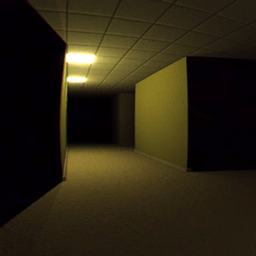
The classic VHS backrooms experience, but in Minecraft!
What your HORROR server comes with
Installed before it starts
HORROR Into the backrooms- Found Footage (horror)-2.0.8, Fabric and all 37 of its server's mods, fetched from CurseForge and checked against its hashes.
Players' mods left out
Minimaps, shaders and menu tweaks are made for players' games and crash servers. They're left off the server; your friends keep them.
Updates keep your world
When the pack updates, the dashboard offers it in one click: a backup first, then the new version's mods and settings, the same world.
Backed up every day
A backup every day, kept a week, and one before every change. Restoring is a click.
spark, ready
Type /spark in game to see what's using the server's time, which mod, entity or chunk.
Friends join in two steps
They install HORROR in the CurseForge App or Prism, then join your server's address. The Overview links them to the right version.
From paying to playing
- 1Press Start an HORROR server. The size that fits is picked; change it if you like.
- 2Pay. The server is set up with the pack installed, which takes a few minutes for a big pack.
- 3Send friends the address. They install HORROR Into the backrooms- Found Footage (horror)-2.0.8 in the CurseForge App or Prism and join.
Good to know
- Already have a world in this pack? Upload it from the Worlds page after the server starts; your builds come over.
- Every plan can run any pack. Change the size or the pack any time from the server's page.
- HORROR - Into The Backrooms - Found Footage (dweller) is made by kamussy and comes from CurseForge through its official API.